Passkeys Are Too Hard
On my quest to speed-run all the wrong ways to authenticate users, I decided to implement passkeys.
TL;DR: WebAuthn is engineered to handle complex, paranoid enterprise use cases. I don’t think it will fully replace passwords until there’s a simplified API for grug-brained developers such as myself.
Conditional UI
Originally, WebAuthn required a separate button to trigger the login flow. In practice it looked something like this. See the tiny button at the bottom?
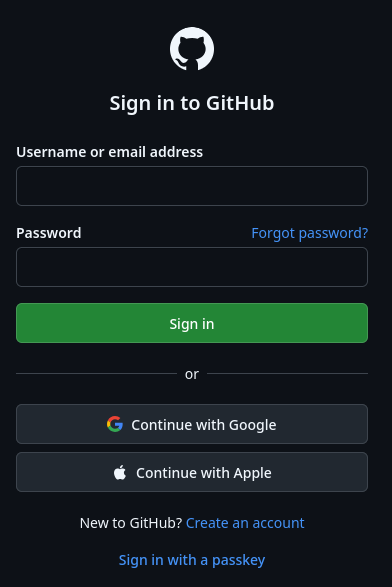
You have to remember that you created a passkey for this particular website and click that tiny button.
Eventually, folks realized the passkey user experience was untenable, so they added the “conditional UI” flow, which makes passkeys work a bit more like you would expect.
You add an attribute to your username <input> like this:
<input type="text" autocomplete="username webauthn" />
When you focus the input, the browser shows an autocomplete dropdown with all your passkeys for the current website. Pick one, and you’re logged in. Perfect!
Why conditional UI is hard
Conditional UI was pragmatically implemented as a minor adjustment to the existing WebAuthn flow, which goes like this:
- Generate a random challenge on the server.
- Pass the challenge to
await navigator.credentials.get()and wait for the browser to sign the challenge. - Send the signature to the server. You’re now logged in!
In the original WebAuthn flow, all this is triggered by the “Sign in with passkey” button. Makes sense!
Then conditional UI came along and messed everything up.
The WebAuthn model assumes the web page is hostile, which means your browser must not let example.com know that you have a passkey for it until you actively choose to share it.
Otherwise, example.com could fingerprint you before login, and for example, correlate and identify your throwaway account.
This is a valid concern!
But because of this, with conditional UI, steps 1 and 2 happen as soon as the login form loads, even if the user has no passkey. In that case, step 2 just blocks forever and the challenge is wasted.
WebAuthn also imposes a few additional requirements for security:
- The challenge must be randomly generated on the server at login time to avoid pre-play attacks.
- The challenge must not be reusable, to avoid replay attacks. That means the state of the challenge must be stored persistently on the server.
To meet all these requirements, your server must generate and persistently store a random passkey challenge for every unauthenticated user even if they don’t have a passkey.
This leads to a lot of questions and problems.
We probably don’t want challenges sitting around forever, right?
They should expire.
That means the login page won’t work if the user takes too long to log in, so now we have to use an AbortController to set a timeout on step 2, wrap the whole process in a while loop, and hope that the timeout doesn’t happen while the user is actively selecting a passkey.
We probably don’t want to generate and store a new challenge every single time, especially if we have a login form on every page.
Putting a database write in the unauthenticated hot path is a scalability faux pas.
Perhaps we can generate the challenge once and cache it in localStorage, and only regenerate it after it expires?
This is a lot of complexity for something that should be simple to understand and audit.
A naive grug-brained approach
Before I dove into WebAuthn, here’s how I hoped it would work.
The current API for registering a new passkey mostly works:
const cred = await navigator.credentials.create({...options})
But the result should be a JWKS document containing only the passkey’s public key.
Then for login, the conditional UI approach mostly works:
<input type="text" autocomplete="username webauthn" />
But when the user selects a passkey, the <input> should get a change event with a token property, which is a JWT string signed by the chosen passkey.
The JWT should have a short expiration and contain the origin of the document where the <input> exists.
You fetch it off to the server, and you’re logged in.
We have to accept tradeoffs
Any grug-brained approach will be imperfect, but an imperfect system is better than a perfect one that no one uses. We should be able to come up with a simple solution that’s miles ahead of passwords in terms of security. If an enterprise really needs a solution that’s lightyears ahead, well, WebAuthn is there for them.
I don’t think passkeys will fully replace passwords until there’s a simplified API.